
Install by platform
Go
Install go get github.com/blipit-io/blipit-go
Add the blipit-go module (v0.3.0 or newer) and call Init once in main with your project's public key and project id. It runs on Blipit's own core and uses only the Go standard library. Flush before the process exits so the last events are not lost.
1Install
go get github.com/blipit-io/blipit-go2Initialise in main
Init never panics: with an empty key or project id it returns an error and Blipit stays off, so log the error instead of exiting.
import (
    "log"
    "time"

    "github.com/blipit-io/blipit-go"
)

func main() {
    if err := blipit.Init(blipit.Options{
        Key:         "<public key>",
        Project:     "<project id>",
        Environment: "production",
        Release:     "myapp@1.4.2",
    }); err != nil {
        log.Printf("blipit: %v", err)
    }
    defer blipit.Flush(2 * time.Second)
}3Get your keys
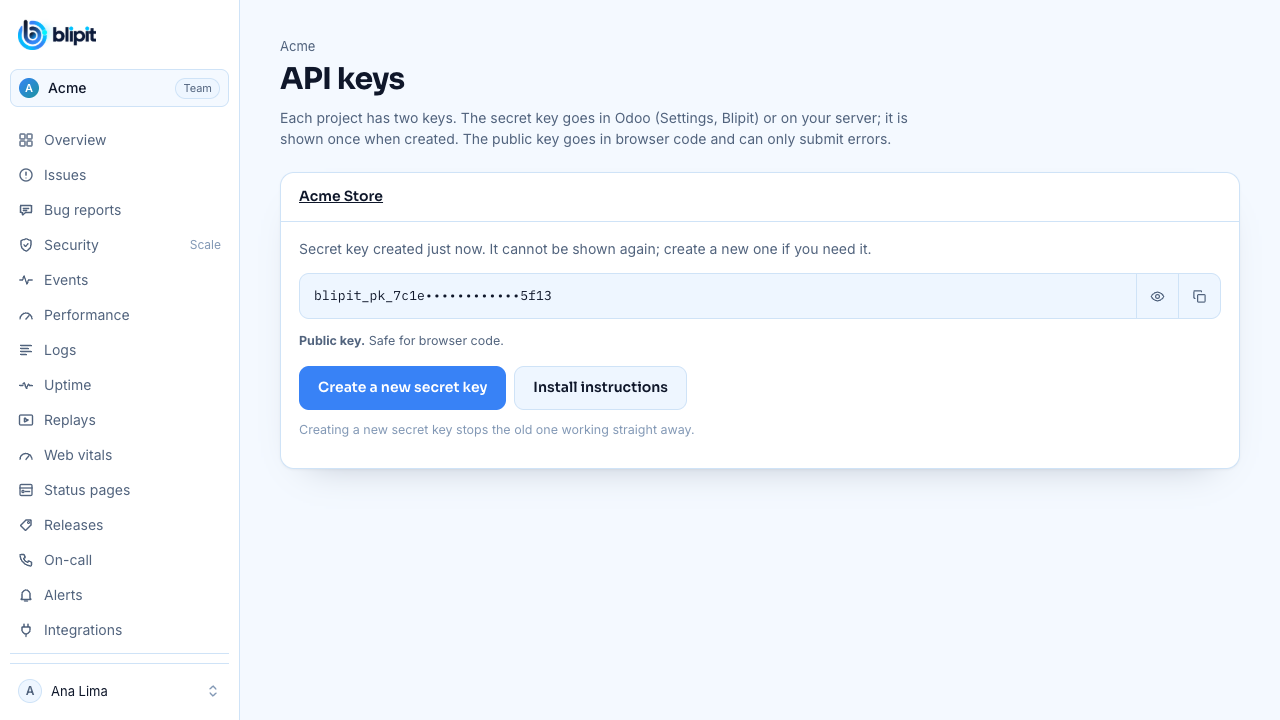
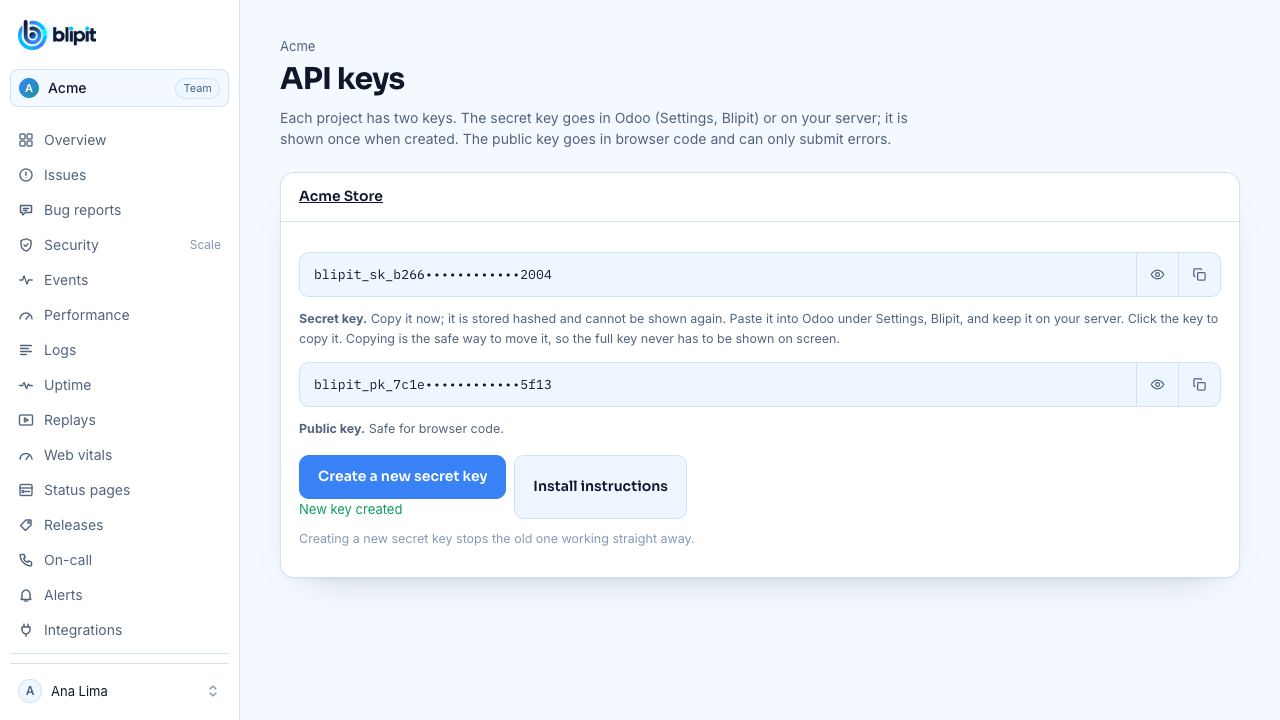
Sign in at app.blipit.io and open API keys in the sidebar, then your project. Every project has two keys. The public key starts with blipit_pk_: it goes in browser and app code, can only send events, and is safe for anyone to see. The secret key starts with blipit_sk_: it stays on your server or in Odoo, never in a browser, because it can also read and change issues. The secret key is shown only once, right after it is created, so copy it then; if you lose it, press Create a new secret key, and the old one stops working at once. Some SDKs also need the project id, shown on the same page.
4Keep the key in the environment
This SDK sends with the public key and the project id. Read them from environment variables set by your host, a systemd unit or docker run -e.
blipit.Init(blipit.Options{
    Key:     os.Getenv("BLIPIT_KEY"),
    Project: os.Getenv("BLIPIT_PROJECT"),
})5Keep keys out of git
Keep keys in environment variables or your host's secret settings, never in code you commit, and add your .env files to .gitignore. A public key in a web page is normal. If a secret key ever ends up in git, a public page, a screenshot or a chat, open API keys, press Create a new secret key, and paste the new key wherever the old one was used: the old key stops working straight away.
.env
.env.local
.env.*.local6Manual capture and login attempts
Login attempts need the secret key: on the server, init with the secret key instead of the public one, or ingest refuses them with 403 security_needs_secret_key. Scale plan.
blipit.CaptureException(err)
blipit.CaptureMessage("cache miss rate above 50%")
blipit.SetUser(blipit.User{ID: "42", Email: "ana@example.com"})
blipit.CaptureSecurity(blipit.Security{Kind: "login_failed", Actor: email, IP: ip, UserAgent: agent, Outcome: "bad_password"})7Panics and net/http
defer blipit.Recover() at the top of main or of any goroutine reports a panic with its stack, flushes and panics again. Wrap the handler you serve with blipit.Handler to report panics with the request and time each request on Pulse, named by its ServeMux pattern. Gin, Echo and Fiber use StartRequest, SetRoute and End, shown in the package README.
go func() {
    defer blipit.Recover()
    work()
}()

mux := http.NewServeMux()
mux.HandleFunc("GET /items/{id}", item)
http.ListenAndServe(":8080", blipit.Handler(mux))8Check it works
Open Issues in app.blipit.io. The first event appears within a few seconds, grouped into an issue, and the people in charge get an email.
blipit.CaptureMessage("Hello from Go")Good to know
- TracesSampleRate: 0.2 in Options sends requests to the Pulse page; blipit.Trace(ctx, name, fn) adds a timed step inside a request.
- Upgrading from v0.2: blipit.DSN is removed, and User, Breadcrumb and Level are Blipit's own types (User keeps ID, Email and Username; Breadcrumb keeps Category, Message, Level, Data and Timestamp).
- Keeping Blipit up to date: the Keeping Blipit up to date guide (docs.blipit.io/updates) explains the update banner, the emails for important releases, the notice in your development console and the update command for this platform.
- One project per app and platform: each project picks its platform when it is created (Android, iOS, React Native, Flutter, Web, Backend or Odoo), and Blipit refuses data from any other platform with a clear error, so an iOS app and an Android app need two projects with two keys. Releases, versions, crash rates and store builds differ per platform, so mixing them in one project makes all of them wrong. A Web project also takes the server side of the same web app (the Next.js server or Node), and a React Native or Flutter project also takes its own native Android and iOS crash reports.
Stuck? Email support@blipit.io. Keys and the project id for each project are under API keys in app.blipit.io.